HTML Document Flow
The question positioning answers is: "Where on the page do I want this element to go?" Visually, "how can make something like this?":
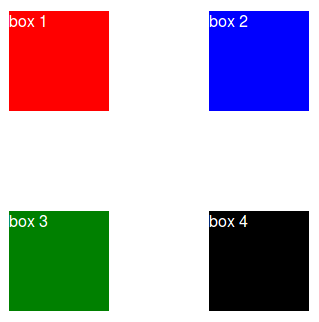
Before we go into the position property, it is important to cover the how the browser wants to layout the document. This is called the "flow" of the document.
The browser will stack elements left to right, top to bottom.
Block Level Elements
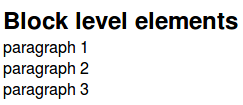
If the element is a block level element, it will not stack adjacent (to the left or right) of another element, and will begin on its own line.
Example:
<!-- paragraphs are block level elements -->
<p>paragraph 1</p>
<p>paragraph 2</p>
<p>paragraph 3</p>
Produces:
Inline Elements
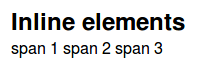
If the element is an inline or inline-block level element, it will sit on the same line as its non-block level element siblings. These elements cannot have a height or width set, and will only take up the space necessary for their content.
Example:
<!-- spans are inline elements -->
<span>span 1</span>
<span>span 2</span>
<span>span 3</span>
Produces:
Inline-block
It exists and is very useful. There are a few inline-block elements.
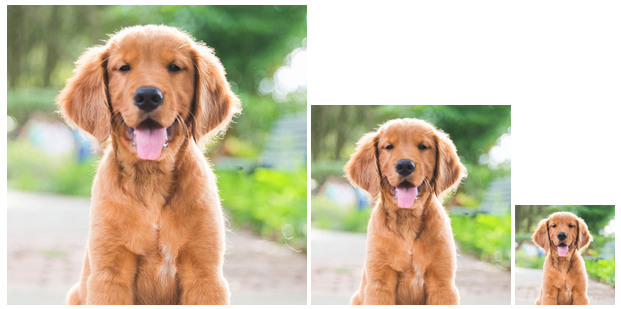
These elments will fall adjacent to their siblings (left, right) like inline elements, but can have their height and widths adjusted like block elements.
Example:
Here we have the same image resized. Notice how they stay on the same line.
Customizing the display property
block, inline, and inline-block are all values of the display CSS attribute. As seen above, elements come with a default display value, but this can, and often is overwritten with CSS.
For example, if I gave all of the dog images above a class of dog-img, then set all instances of dog-img to be display: block; instead of inline-block.
  <img src="dog.jpg" alt="brown dog" class='dog-img'>
  <img src="dog.jpg" alt="brown dog" class='dog-img'>
  <img src="dog.jpg" alt="brown dog" class='dog-img'>
  .dog-img {
    display: block;
  }
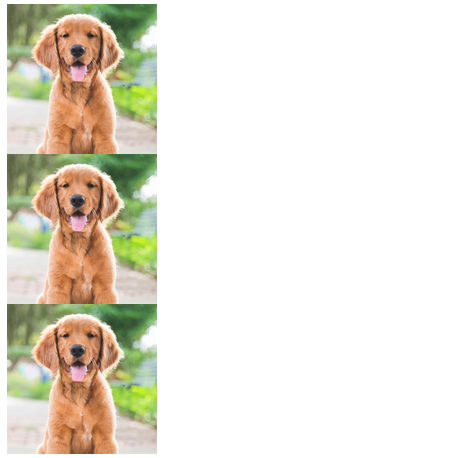
Notice that they remain on their own lines.
Keep this normal flow in mind as we move onto positioning. When we manually position something, we are removing it from this default flow.
Let's move onto positioning.