HTML Basics
HTML describes the structure of a page.
The browser reads HTML documents left-right, top-bottom. As the browser reads the pages sequentially, it needs context clues to know where in the structure it is. The browser needs something like:
**begin rendering heading** This is the Title of the Article **stop rendering heading**

**begin rendering paragraph** This is the content of the article. The text is probably smaller here. **end rendering paragraph**

**begin rendering image** [picture of cats] **end rendering image**
Luckily, the format of how to tell the browser when to begin and end has been standardized. HTML uses elements to describe the structure of a page.
Elements are structured as so:
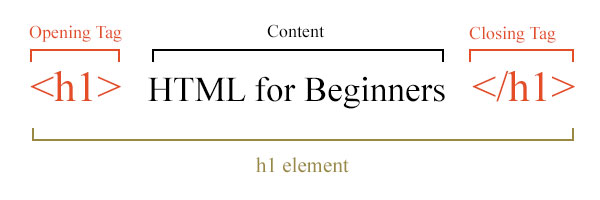
All elements have a opening tag, most elements contain content (but not all), most elements have a closing tag (remember the slash!)(but not all). Learn the edge cases as you come across them, but don't worry about memorizing them up front.
Set this to heart: Opening tag, content, closing tag. You're halfway there.
Let's learn some elements.